What Is a Brand Portal? (and why a shared drive isn't one)
A brand portal is a place where logos, brand colors, and guidelines live so partners can grab the right files without bothering you. Here's how they work.
It's 4:47pm on a Friday. The printer your operations lead found on Yelp emails you: *"Can you send the logo? Vector if you have it, no tagline, something that'll print clean on a navy background."*
You start hunting. There's a folder called `Logos_FINAL`. Inside it, a folder called `Logos_FINAL_v2`. Inside that, a folder called `Logos_use_these_ones`. You open three files. They all look identical until you zoom to 400% and realize one of them has a stray pixel where the kerning got nudged in 2021 and never fixed.
You send what looks closest, hope it's right, and start your weekend with a tiny knot in your stomach.
This is the moment people first Google "brand portal." So let's actually talk about what one is, what it does, and whether it solves anything for you - or whether you've been sold on enterprise software you don't need.
The plain-English definition
A brand portal is a centralized, usually web-based hub where your logos, colors, fonts, templates, and guidelines live - and from which the people who need them can grab the right version in the right format without bothering you, your designer, or your slowly-aging cousin who runs the Squarespace site.
That's it. Conceptually, it's not complicated. A clean URL. A handful of assets. Some rules. A download button.
What makes it different from the `/Brand/Logos/` folder you already have is that a portal is built for the person on the other end. Your designer cousin doesn't need to know that the SVG goes to web and the EPS goes to print. The portal just shows them their three options, labeled in human language, with the right file types pre-baked. Click. Download. Done.
What's actually inside one
If you cracked open a well-built brand portal, you'd find some combination of:
The logo system - not "the logo," but every legitimate version of it. Primary lockup, secondary lockup, icon-only, horizontal, stacked, monochrome, reversed for dark backgrounds, the rare one with a tagline that only marketing uses. Each in the formats people actually need (SVG, PNG at a few sizes, PDF, sometimes EPS for the holdouts who still send things to industrial print shops).
The color palette, written out properly. Not "kind of a teal, you'll know it when you see it" - but the hex, the RGB, the CMYK, the Pantone, and ideally a sentence about when to use each color (primary vs accent vs caution-don't-use-this-on-text).
The typography, with download links or licensing info. Half of all off-brand designs happen because someone couldn't find the font and substituted something close-ish from Google Fonts.
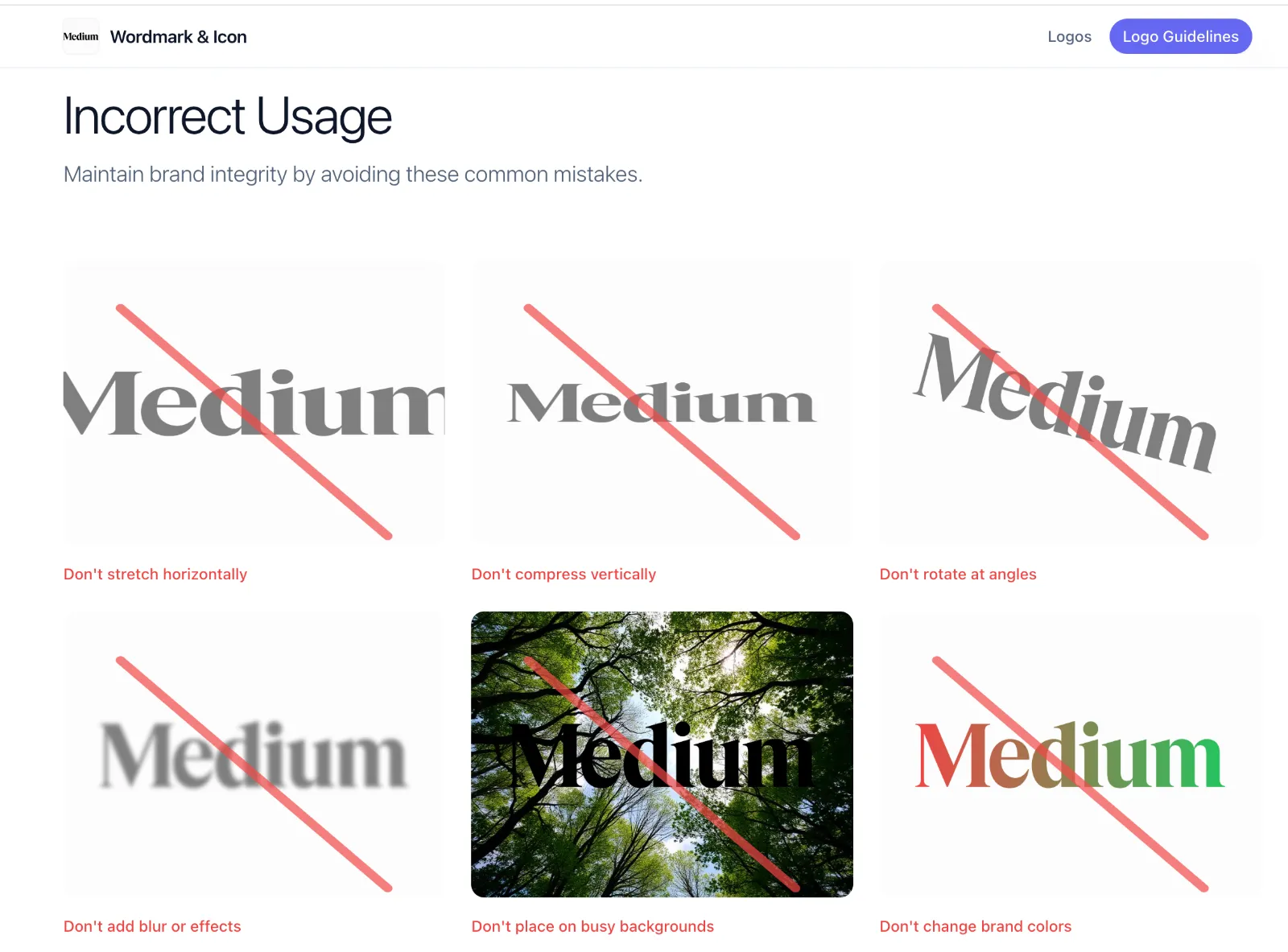
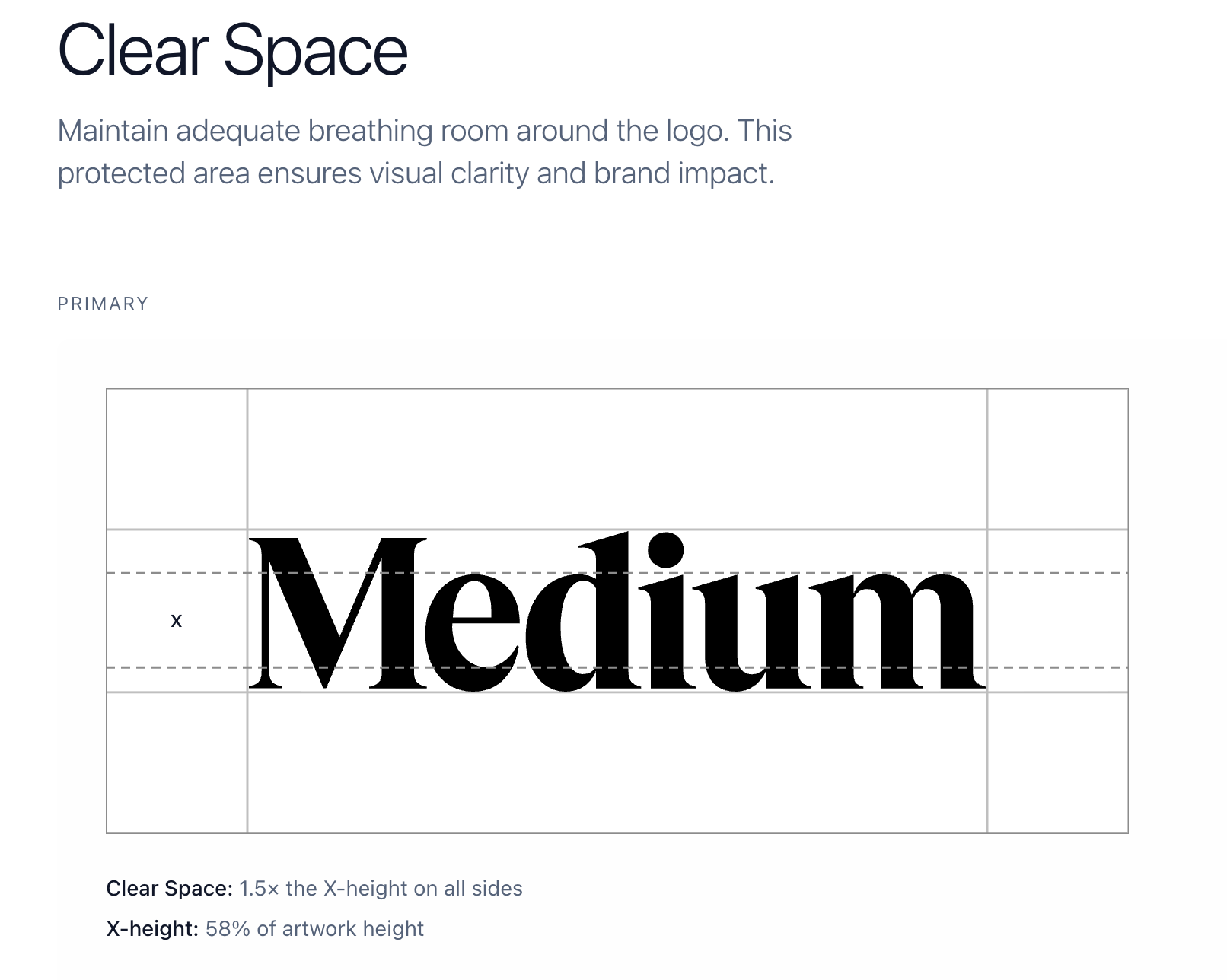
The rules - logo clear space, minimum size, what you absolutely cannot do (stretch it, recolor it, drop-shadow it, put it on a photo of a sunset). These are the brand guidelines, and a portal makes them impossible to miss because they sit right next to the file you're about to download.
Sometimes there's more - photography, icons, templates for slide decks, social media kits, swag artwork, video stings. Some portals get sprawling. Most small companies do better keeping it focused on the things people ask for most.
So why isn't a shared folder good enough?
Honestly? Sometimes it is. If you're a five-person company and the only people who ever touch your logo are you and your one freelance designer, a tidy Google Drive folder works fine. I'd never tell you to buy software you don't need.
But shared folders break down in specific, predictable ways once more than a handful of people start grabbing files:
Version drift. Someone downloads the logo in 2023, saves it locally, and uses that same file for two years - through a rebrand, through a color update, through a wordmark refinement. By the time you notice, it's on a trade show banner.
Format confusion. You send the JPG (because that's what was on top), they put it on a website with a colored background, and now the logo has a hideous white rectangle around it. A portal hides the wrong format behind the right format, so this stops happening.
Permission chaos. Either your folder is locked down so tight nobody can access anything without you, or it's so open that anyone with the link can also delete your master files. Portals solve this by being read-only by design.
No context. A folder is just files. A portal is files plus the rules around them. "Don't use this version on dark backgrounds" lives one inch away from the file itself, not buried in a 40-page PDF nobody reads.
Findability. Quick - which folder has your most recent brand guidelines? `/Marketing/` or `/Brand/` or `/Design Assets/` or `/2024/` or `/_archive/`? Right.
Brand portal vs DAM: the question you actually came here for
If you've been researching this, you've probably bumped into the term DAM - Digital Asset Management. Bynder, Brandfolder, Frontify, Widen, Canto, MediaValet. There are dozens of these platforms, they cost real money, and they all sort of overlap with brand portals in confusing ways.
Here's how I'd draw the line:
A DAM is built for marketing teams who produce a lot of stuff. Campaigns, photo shoots, video edits, region-specific variants, seasonal pushes. The core problem a DAM solves is internal: we have 40,000 files and we can never find the one we made for the German market last spring. DAMs are about cataloguing, tagging, version control, rights management, workflows, approvals. They are powerful and they are heavy.
A brand portal is built for the moment someone outside your team needs an asset and needs to get it right. Vendors. Partners. Freelancers. Press. Resellers. The portal's job is delivery and clarity, not internal management. It's narrower in scope and dramatically simpler to set up.
Some platforms try to do both. Frontify and Brandfolder, for example, position themselves as DAM-plus-portal hybrids - and they're great if you're a 500-person company with a dedicated brand team. They're complete overkill if you're a 12-person startup whose actual problem is that your sales reps keep emailing prospects a logo with the old tagline.
A useful test: who's the user you're solving for?
- If the user is your internal marketing team drowning in their own files, you want a DAM.
- If the user is everyone else who occasionally needs your logo and you want them to get it right without asking, you want a brand portal.
- If you're not sure, you almost certainly want a brand portal first. They're cheaper, faster to set up, and you can always add a DAM later if you outgrow it.
I'll also mention: a lot of teams describe DAMs as "brand asset management" and that's where the categories blur. The phrase is technically accurate. But in practice, when someone says "brand portal," they usually mean a public-facing or partner-facing delivery surface. When someone says "DAM," they usually mean the internal warehouse. The words matter less than what you're trying to do.
Who actually needs one
I think about this in three rough tiers.
You probably don't need one yet if your logo lives on three things (a website, an email signature, a deck template), all controlled by the same person, and you've never had someone outside the company ask for an asset. Keep your folder tidy and revisit in a year.
You're at the painful crossover point if you can name at least two times in the last six months you've had to dig up the right logo file for someone external, or you've been on a sales call and noticed a partner using a stretched/outdated/wrong-color version of your mark. This is when a portal starts paying for itself - not in money, in your time and your brand's consistency.
You definitely need one if any of these are true: you have resellers or partners who use your branding, you've been through a rebrand and old assets are still circulating, you work with multiple agencies or freelancers, you license your brand to anyone (franchise, affiliate, co-marketing), or your sales/CS team forwards "can you send the logo?" emails to design more than once a month.
That last one is the giveaway. The volume of internal forwarding is the signal that your brand has outgrown its filing system.
What separates a good portal from a bad one
I've poked around a lot of these, and the difference between the ones people actually use and the ones that get abandoned comes down to a few things:
Friction at download. If I have to make an account, verify an email, agree to terms, and click through three screens to get a PNG, I'm going to scream into a couch cushion and email you for the file instead. The best portals let approved users grab assets in a click or two. Gating exists, but it's proportionate.
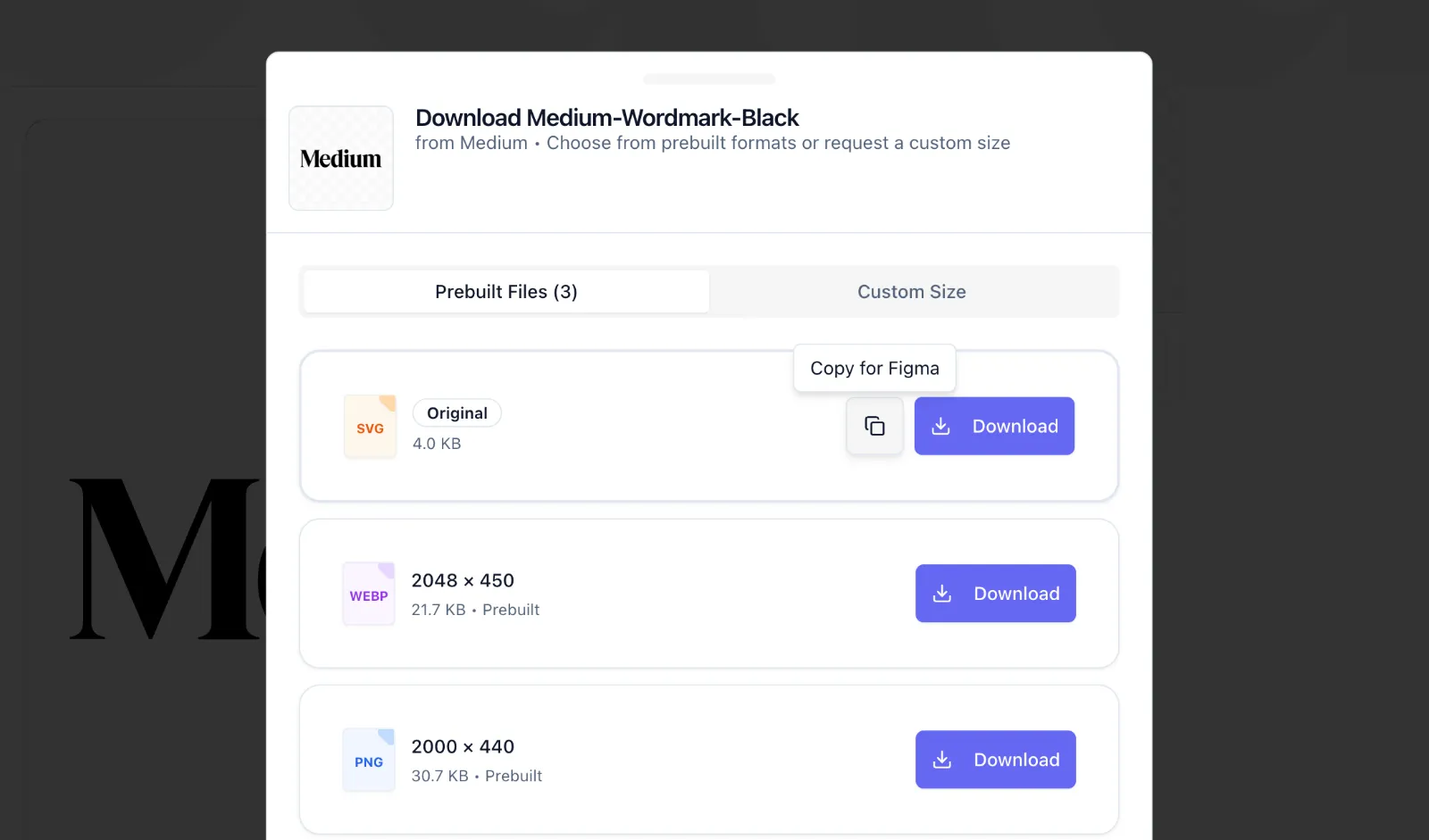
Honest format defaults. A portal that just dumps every file type on you isn't helping. A good one labels them by use case ("for your website," "for print," "for social") and surfaces the most-needed format first. The user shouldn't have to know what EPS is.
The guidelines aren't a separate PDF. If the do-not-stretch rule lives in a 60-page document nobody opens, it doesn't exist. The portals that work bake the rules right into the download experience, often as short, visual do/don't examples.
Search that works. This sounds basic and is somehow rare. If I type "favicon" and the portal can't find your favicon, that's a problem.
It loads fast and looks like your brand. If your brand portal looks like a 2014 SharePoint page, people lose faith in the brand it's representing.
The quiet cost of not having one
This is the thing nobody puts on the marketing pages: the real cost of a messy brand setup isn't the time you spend sending files. It's the slow, distributed erosion of how your brand actually appears in the world.
Every wrong-version logo on a partner site. Every stretched mark on a conference booth. Every email signature still using the colors from before the refresh. Each one is small. Together, they're the difference between a brand that feels considered and one that feels like it's held together with tape.
You don't usually notice this happening to you. You notice it about other companies - "wait, why does their logo look weird here but normal on their site?" - and then you go back to your own folders and wonder.
So, do you need to buy something?
Maybe. Maybe not. The honest answer is that "brand portal" describes a function before it describes a product. The function is: get the right asset to the right person, fast, in the format they need, with the rules attached.
You can do this with a Notion page and some download links. You can do it with a custom site. You can do it with a purpose-built tool like SendTheLogo if you want it to work out of the box without engineering time. The right answer depends on how many assets you have, how many people need them, and how much your time is worth.
What I'd push back on is the idea that you need a DAM. Most teams researching brand portals get sold up into enterprise software because the search results are dominated by big players who want six-figure contracts. If your actual problem is "people outside my company keep using the wrong logo," you don't need a DAM. You need a brand portal. Start there.
And if you do nothing else after reading this: make sure the freelancer your printer used has the right file. Today. Before next Friday at 4:47pm.